Why we procrastinate, based on our personality style

Procrastination is a behavioral pattern rooted in how we regulate emotions, motivation, and self-perception — and the DiSC model helps us understand why different people delay in different ways.

At its core, procrastination often stems from emotional regulation challenges — not because someone lacks willpower or time management instincts. People delay tasks when they trigger negative feelings (like boredom, lack of control, fear of imperfection, or decision anxiety) or don’t align with internal motivators.

Applying the Everything DiSC® framework, we gain a deeper understanding of why people put off work and how to help them move forward in ways that fit their natural styles.

The Four DiSC Tendencies Toward Procrastination

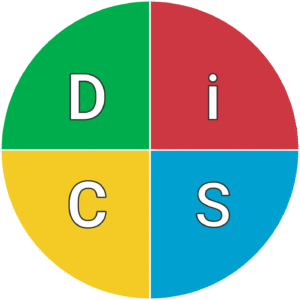
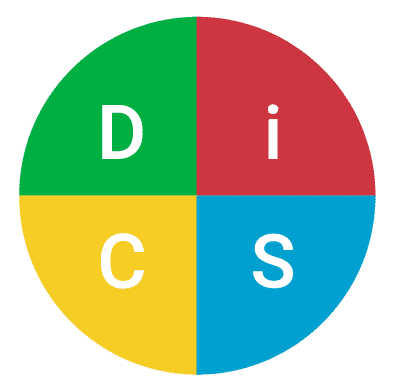
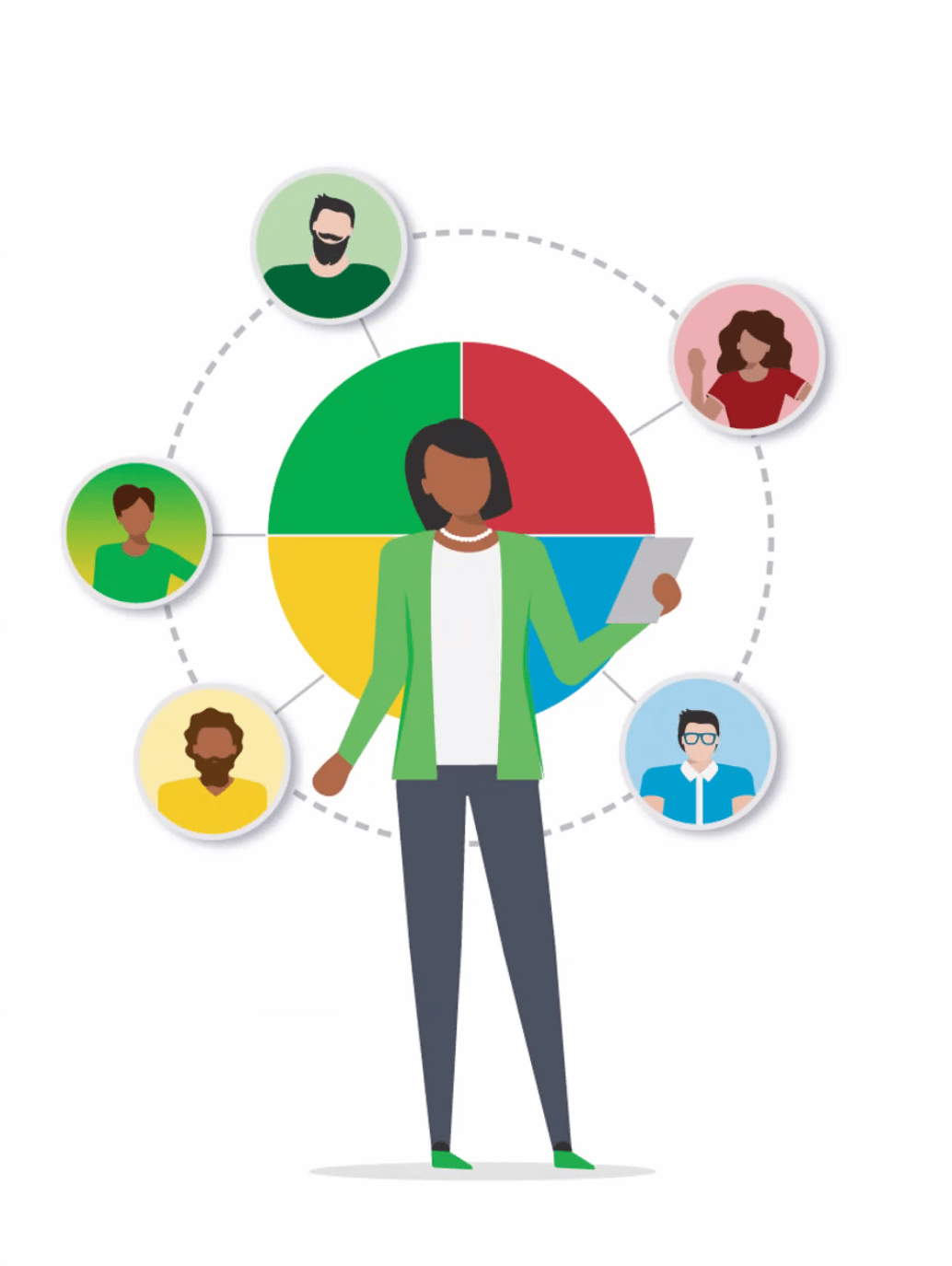
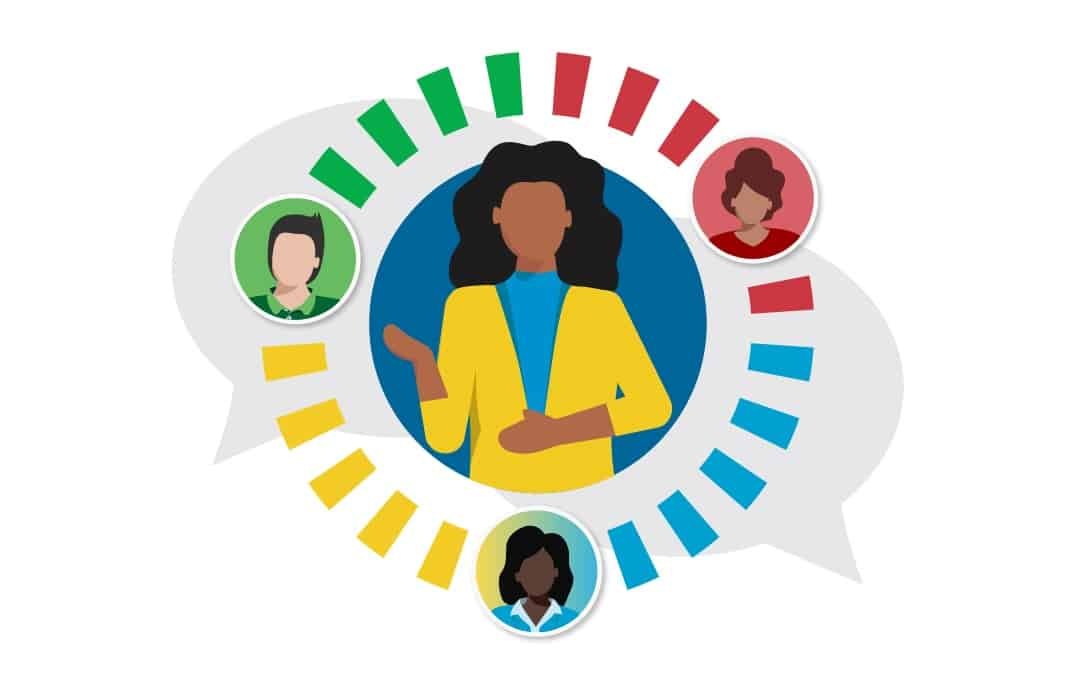
Everything DiSC Insight Bubble No Text D StyleD – Dominance: Resistance & Relevance

People with a D-style are action-oriented and prefer high-impact, autonomy-rich work. They procrastinate when they feel controlled, stuck in low-value tasks, or when the task doesn’t clearly move the needle.

Typical reasons to delay:

  • Task feels trivial compared to bigger goals.

  • Instructions feel limiting or micromanaged.

  • Boredom with slow progress.

What helps: Re-frame tasks as challenges with clear impact, set meaningful milestones, and grant autonomy where possible.

Everything DiSC Insight Bubble No Text i Stylei – Influence: Stimulation & Social Motivation


Influence-oriented people excel in social connection and creative participation. They delay work when novelty wanes or routine tasks lack engagement or interaction.

Typical reasons to delay:

  • Tasks feel isolating or monotonous.

  • No immediate feedback or social reinforcement.

  • Low emotional reward.

What helps: Add social elements, break work into playful or collaborative chunks, and celebrate small wins.

Everything DiSC Insight Bubble No Text S StyleS – Steadiness: Comfort & Decision Weight

Steadiness-focused people value harmony and certainty. They may put off decisions when they fear conflict, lack clear direction, or feel unsure about the outcome.

Typical reasons to delay:

  • Fear of choosing “wrong” path.

  • Wanting more information to feel safe.

  • Reluctance to disrupt others or rock the boat.

What helps: Use time-boxed decisions, clarify priorities, and build confidence with small early wins that reduce perceived risk.

Everything DiSC Insight Bubble No Text C StyleC – Conscientiousness: Perfection & Detail Orientation

People high in C are driven by accuracy, structure, and high standards. They often delay starting or completing tasks because they want all the information and fear imperfection.

Typical reasons to delay:

  • “Research mode” becomes endless.

  • High standards make “good enough” hard to accept.

  • Fear of errors or uncertainty about correctness.

What helps:

  • Set time limits on preparatory work.

  • Distinguish between tasks that demand perfect accuracy versus those where “good enough” suffices.

  • Use first drafts as clarifying steps rather than final products.


It’s Emotional, Not Just Time Management

Across all DiSC types, procrastination is less about procrastinators being unproductive and more about how tasks intersect with emotional triggers and motivators. Research shows that people often delay because they’re avoiding negative emotions associated with certain tasks — whether that’s boredom, anxiety, or fear of judgment.

A Practical Step Everyone Can Try

Ask: “What feeling am I avoiding by delaying this task — boredom, anxiety, uncertainty, losing control, or a lack of reward?”

This simple question helps reveal whether the delay comes from style-driven emotional responses rather than discipline or capacity limitations.

Procrastination should not be looked at as a flaw but more like a signal. It tells us something important about the emotional landscape of the task relative to our natural motivations and style. When we understand that landscape — especially through tools like DiSC — we can design work in a way that reduces resistance, respects our style, and helps us move forward with greater ease and effectiveness.

How DiSC Helps to Unlock Motivation at Work

If you ask a room full of managers what motivates people, you’ll likely hear familiar answers: recognition, rewards, career growth, meaningful work. And while those factors certainly matter, they don’t explain why one employee is energized by public praise while another cringes under the spotlight. Or why one thrives in fast-paced experimentation while another wants time, structure, and clarity before taking action.

The truth is simple:
People are motivated in very different ways — and DiSC® gives leaders a practical roadmap for understanding those differences.

Each DiSC style has distinct drivers, fears, and psychological needs. When leaders understand these nuances, they stop guessing and start managing in a way that creates real engagement.

This is increasingly relevant in organizations dealing with burnout, constant change, and a more diverse workforce than ever before.

Let’s explore what truly motivates each DiSC style — and, equally important, what demotivates them — using the posters and the Psychological Needs model as a guide.

The Psychology Behind Motivation: Understanding What People Need to Thrive

DiSC psychological needs 2

Before diving into each style, it’s helpful to look at the broader map of human needs.

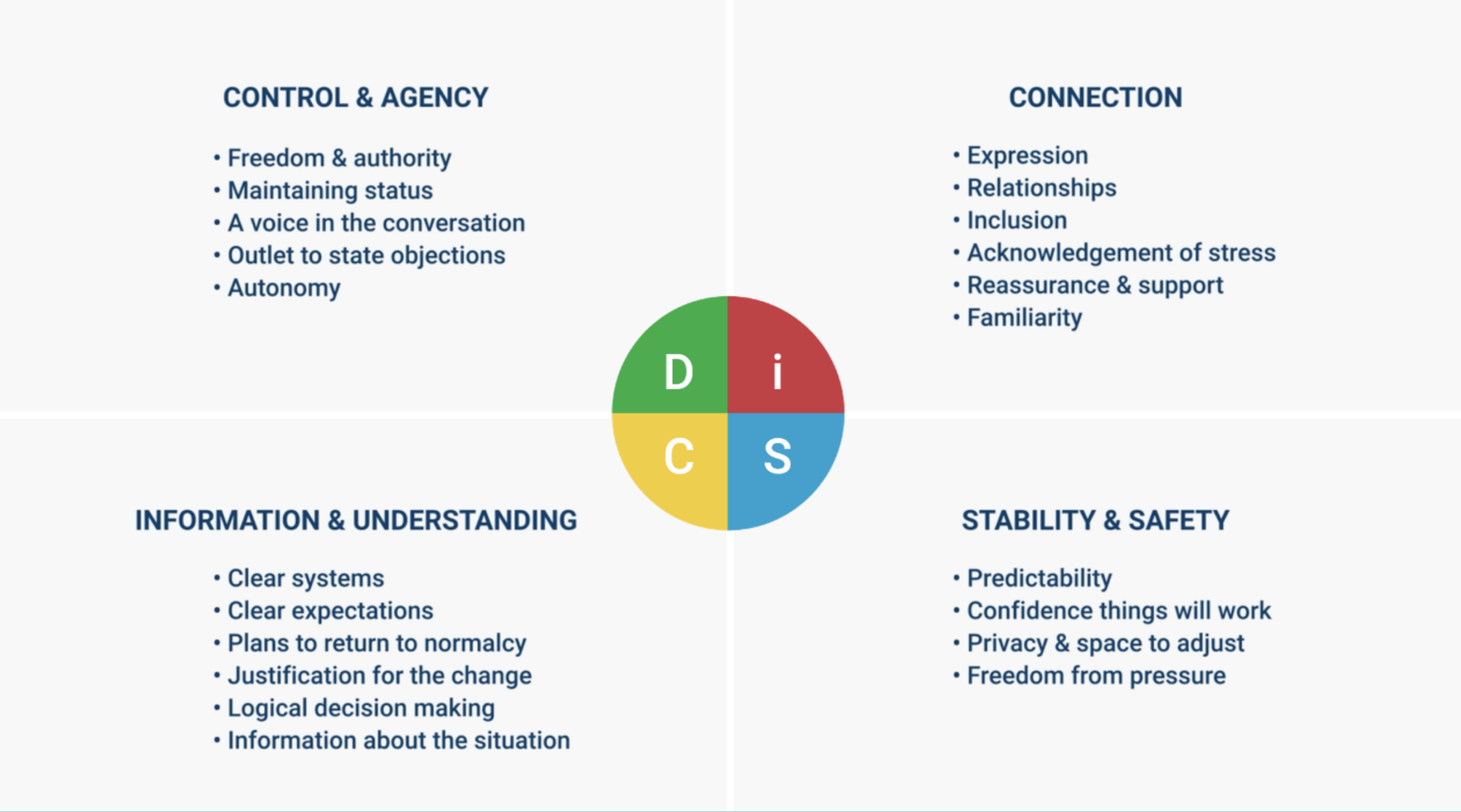
The Psychological Needs chart shows the core drivers that sit underneath DiSC behavior:

  • D-styles lean toward autonomy, challenge, progress, and maintaining control.

  • i-styles seek expression, social connection, optimism, and feeling “in” with the group.

  • S-styles prioritize harmony, familiarity, reassurance, and stability.

  • C-styles value precision, standards, competence, and predictability.

These needs shape the motivational triggers we see in each style — and also explain why certain environments create stress, disengagement, or withdrawal.

Let’s take a closer look.

Motivation by DiSC Style

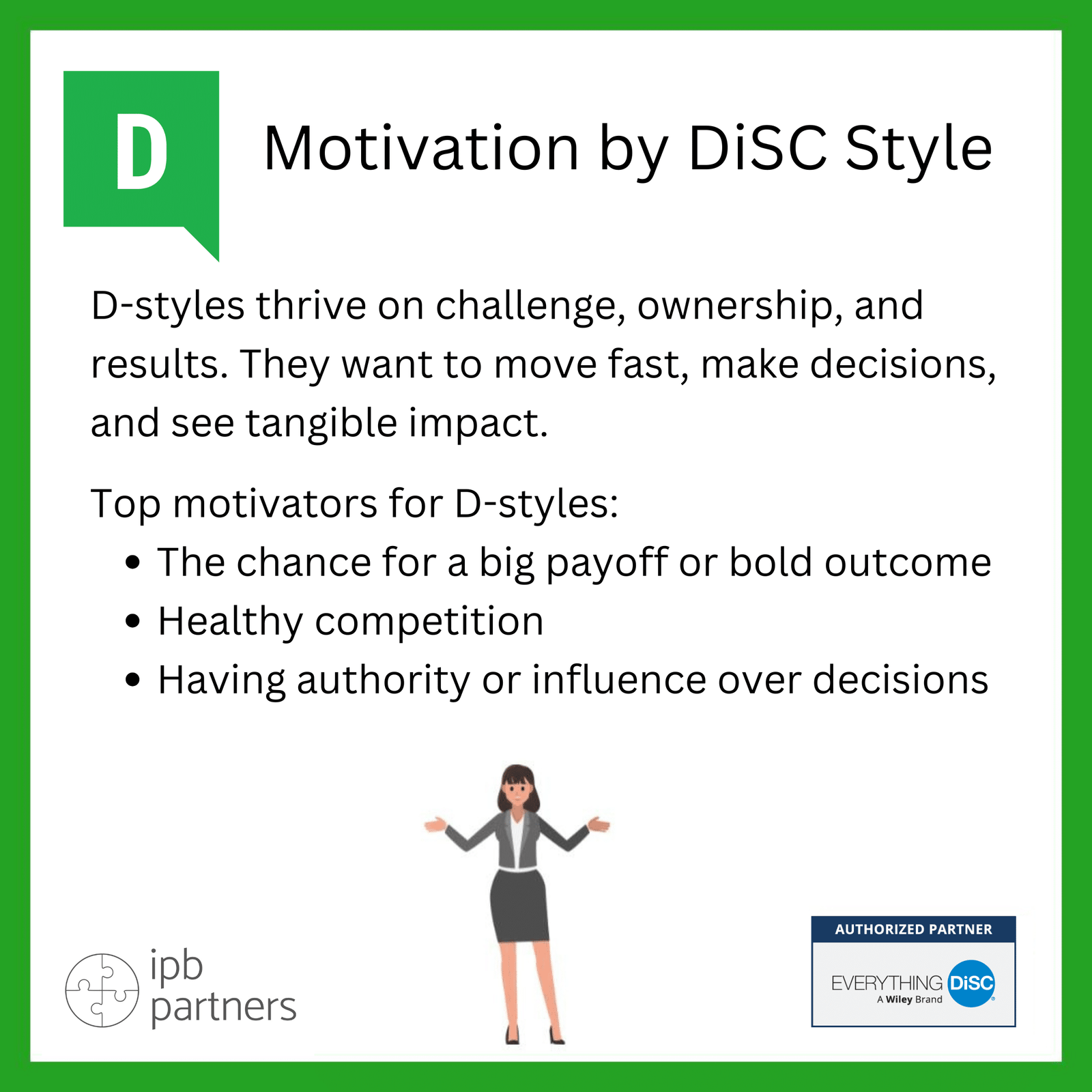
Motivation by DiSC Style DD-Style Motivation: Achievement, Impact, and Autonomy
D-styles thrive on challenge, ownership, and results. They want to move fast, make decisions, and see tangible impact.

Top motivators for D-styles:

  • The chance for a big payoff or bold outcome
  • Healthy competition
  • Having authority or influence over decisions

Their core psychological needs are control, progress, autonomy, and avoiding weakness. If you want to engage a D-style team member, focus on goals, impact, and independence. Give them freedom to choose their path—as long as the outcomes are clear.

Motivation by DiSC Style ii-Style Motivation: Energy, Connection, and Positive Momentum
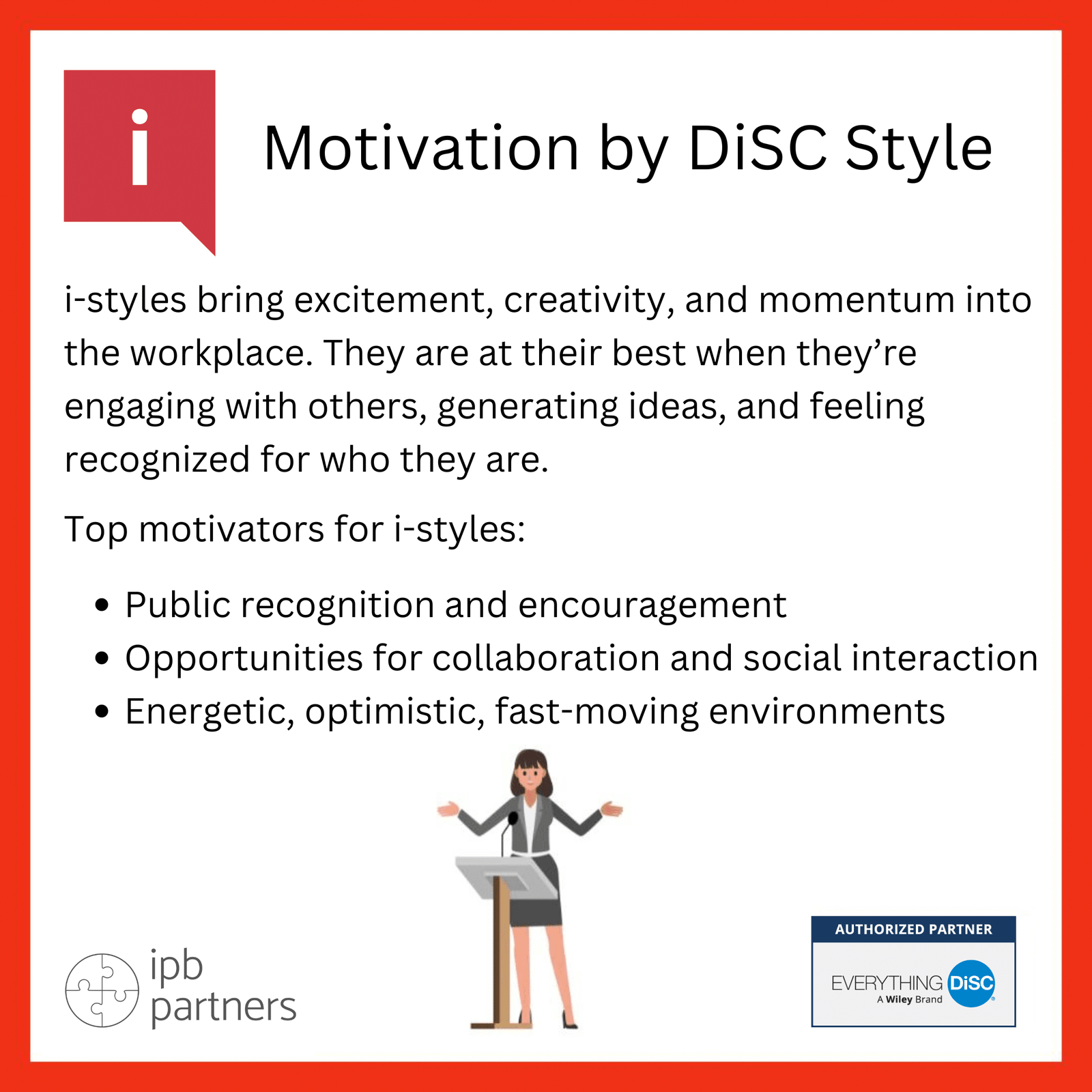
i-styles bring excitement, creativity, and momentum into the workplace. They are at their best when they’re engaging with others, generating ideas, and feeling recognized for who they are.

Top motivators for i-styles:

  • Public recognition and encouragement
  • Opportunities for collaboration and social interaction
  • Energetic, optimistic, fast-moving environments

The Psychological Needs model highlights that i-styles crave expression, social contact, play, optimism, and being heard.
Encourage them to brainstorm, lead group efforts, or champion new initiatives. Their motivation rises quickly when they feel connected and appreciated.

Motivation by DiSC Style SS-Style Motivation: Stability, Trust, and Purposeful Support
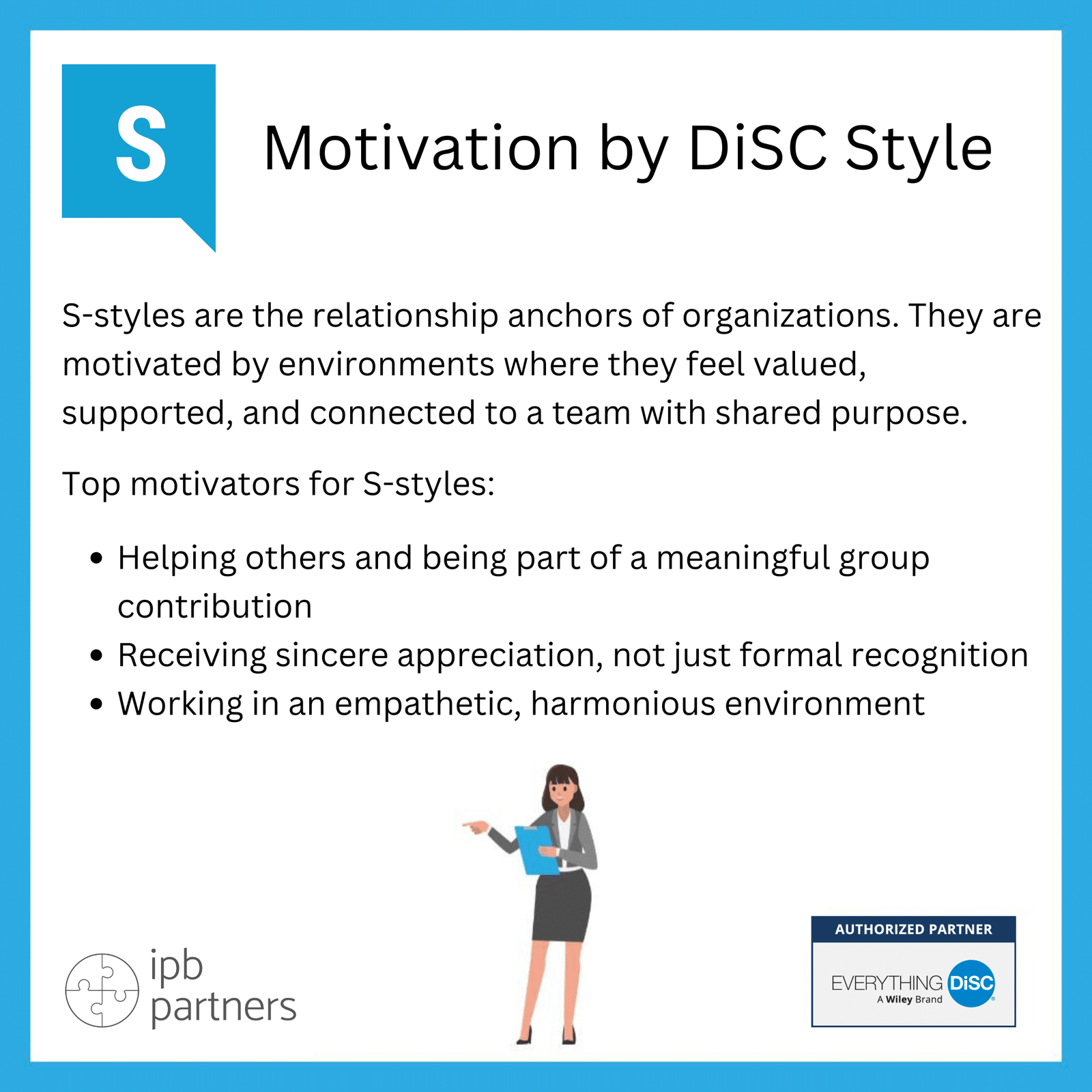
S-styles are the relationship anchors of organizations. They are motivated by environments where they feel valued, supported, and connected to a team with shared purpose.

Top motivators for S-styles:

  • Helping others and being part of a meaningful group contribution
  • Receiving sincere appreciation, not just formal recognition
  • Working in an empathetic, harmonious environment

Their psychological needs include reassurance, nurturance, harmony, and familiarity.
S-styles shine when they know their work matters and their team relationships are strong.

For leaders, this means communicating change early, inviting input, and recognizing supportive behavior—not only visible achievements.

Motivation by DiSC Style CC-Style Motivation: The Drive for Mastery and Accuracy

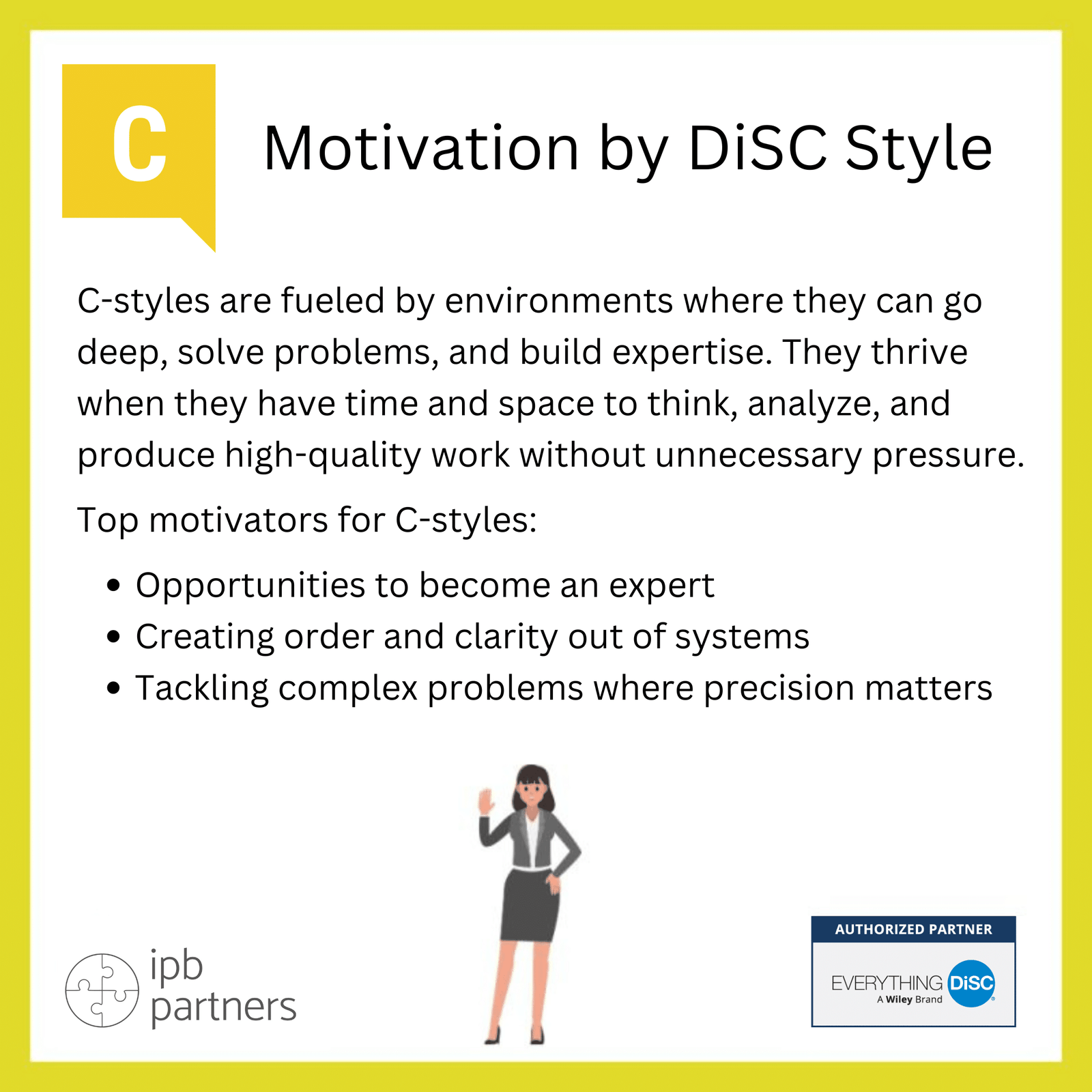
C-styles are fueled by environments where they can go deep, solve problems, and build expertise. They thrive when they have time and space to think, analyze, and produce high-quality work without unnecessary pressure.

Top motivators for C-styles:

  • Opportunities to become an expert
  • Creating order and clarity out of systems
  • Tackling complex problems where precision matters

These motivators reflect the psychological needs of competence, credibility, and adherence to standards. To engage a C-style employee, provide them with autonomy in structuring their work, access to resources that deepen their knowledge, and clear expectations.

What Demotivates People? The Hidden Triggers Leaders Often Miss

Understanding motivation is only half the picture.
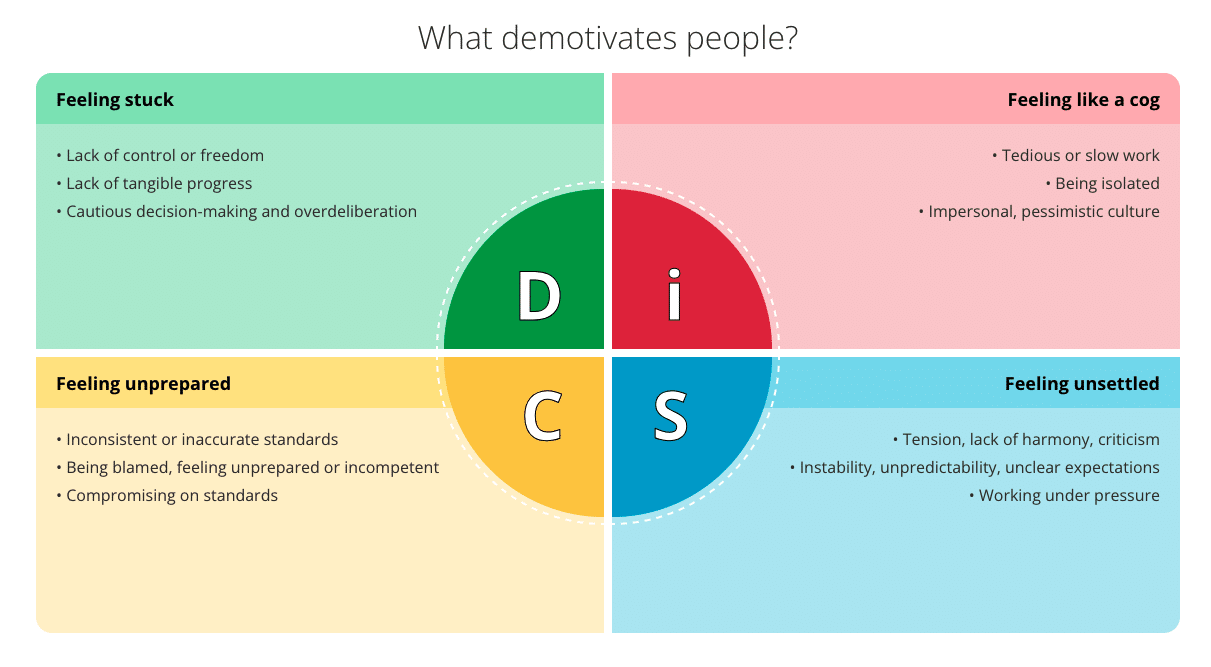
The Demotivators by DiSC Style poster provides a helpful lens to see what drains each style’s energy.

disc style demotivators

Let’s connect these with the psychological needs.

🟢 D-styles become demotivated when they feel stuck

  • Lack of control
  • Slow processes
  • No visible progress

This violates their needs for autonomy, influence, and challenge.

🔴 i-styles disengage when they feel like a cog in the machine

  • Tedious tasks
  • Isolation
  • Pessimistic or overly formal environments

This conflicts with their needs for expression, optimism, and social contact.

🔵 S-styles shut down when they feel unsettled

  • Criticism or tension
  • Unpredictability
  • High pressure

This disrupts their needs for harmony, stability, and reassurance.

🟡 C-styles withdraw when they feel unprepared

  • Inconsistent standards
  • Being blamed
  • Low-quality processes or unclear expectations

This violates their needs for precision, standards, and competence.

How Leaders Can Use DiSC to Motivate Their Teams More Effectively

Here are five practical ways leaders can leverage these insights:

1. Personalize recognition and rewards

Instead of a generic “great job,” tailor your message:

  • D: highlight results and impact
  • i: celebrate publicly and enthusiastically
  • S: express sincere one-on-one appreciation
  • C: recognize accuracy, quality, or depth of work

2. Redesign roles to align with natural strengths

Consider what fuels each style:

  • D: autonomy, challenge
  • i: collaboration, creativity
  • S: support, consistency
  • C: analysis, precision

3. Communicate change with style-specific nuance

For example:

  • With S-styles, provide advance notice and reassurance
  • With C-styles, give details, standards, and rationale
  • With D-styles, focus on the opportunity
  • With i-styles, emphasize the vision and team energy

4. Reduce demotivators before they cause friction

Use the Demotivators Poster as a diagnostic tool:

  • Are D-styles stuck waiting for approvals?
  • Are i-styles isolated?
  • Are S-styles dealing with constant change?
  • Are C-styles forced to compromise on standards?

Eliminating demotivators is often far more powerful than adding perks.

5. Build psychologically safe, need-aware teams

The Psychological Needs model reminds us that people thrive when their deeper needs are respected, not just their behaviors.

Teams perform better when:

  • D-styles feel empowered
  • i-styles feel connected
  • S-styles feel supported
  • C-styles feel prepared

This is the foundation of high engagement.

When Leaders Understand Motivation, Everything Changes

Motivation isn’t mysterious — it’s predictable. With DiSC, leaders gain a practical, human-centered toolkit for understanding what energizes each person and what shuts them down.

When managers learn to lead through the lens of motivation:

  • communication improves
  • team morale strengthens
  • performance rises
  • conflict decreases
  • people feel seen, valued, and empowered

Whether you’re working with ambitious D-styles, enthusiastic i-styles, steady S-styles, or analytical C-styles, the key is the same:

Motivate people the way they need — not the way you prefer.

In a workplace shaped by uncertainty and rapid change, that ability isn’t just helpful, it’s transformational.

How DiSC Can Help Managers Deliver Better Performance Reviews?

Performance review season tends to evoke one of two reactions in most managers:

  1. mild dread, or
  2. sincere hope that this year’s conversations will finally feel meaningful.

Yet many leaders still struggle to turn evaluations into catalysts for real improvement. According to research, the core issue isn’t the review process itself—it’s how feedback is delivered.

This is exactly where Everything DiSC® becomes transformative. By helping managers understand how different people prefer to receive feedback—and what they psychologically need to feel safe, respected, and motivated—DiSC shifts performance reviews from a corrective exercise into a growth-oriented dialogue.

And with the introduction of the new Giving Constructive Feedback module in Everything DiSC Worksmart, managers now have a practical, evidence-based way to prepare, personalize, and deliver feedback that actually moves performance forward.

Why Feedback Often Misses the Mark

Even experienced managers report similar challenges:

  • “I don’t know how direct to be.”
  • “I avoid difficult conversations because I don’t want to demotivate people.”
  • “I deliver feedback, but nothing changes.”

This is not surprising. People process feedback differently depending on their communication style, their natural fears, and their psychological needs. In fact, the DiSC Psychological Needs map shows that each DiSC style has strong internal drivers:

  • D-styles seek autonomy, authority, and a sense of progress.
  • i-styles prioritize expression, optimism, and social connection.
  • S-styles value stability, harmony, and reassurance.
  • C-styles need precision, standards, competence, and clarity.

DiSC psychological needs 1

When managers ignore these underlying needs, feedback can unintentionally trigger defensiveness. When they tailor their message to these needs, the employee is far more likely to engage, reflect, and act.

Feedback That Actually Lands

The Giving Constructive Feedback module in Everything DiSC Worksmart is designed specifically to help managers:

✔ Understand their natural feedback tendencies

Managers gain personalized insights into how their DiSC style shapes the way they communicate, confront, support, or avoid conflict during reviews.

✔ Learn the four elements of strong feedback

Participants practice delivering feedback that is:

  • Clear — grounded in observable behavior
  • Actionable — specifying the desired change
  • Balanced — acknowledging strengths alongside opportunities
  • Supportive — reinforcing the relationship

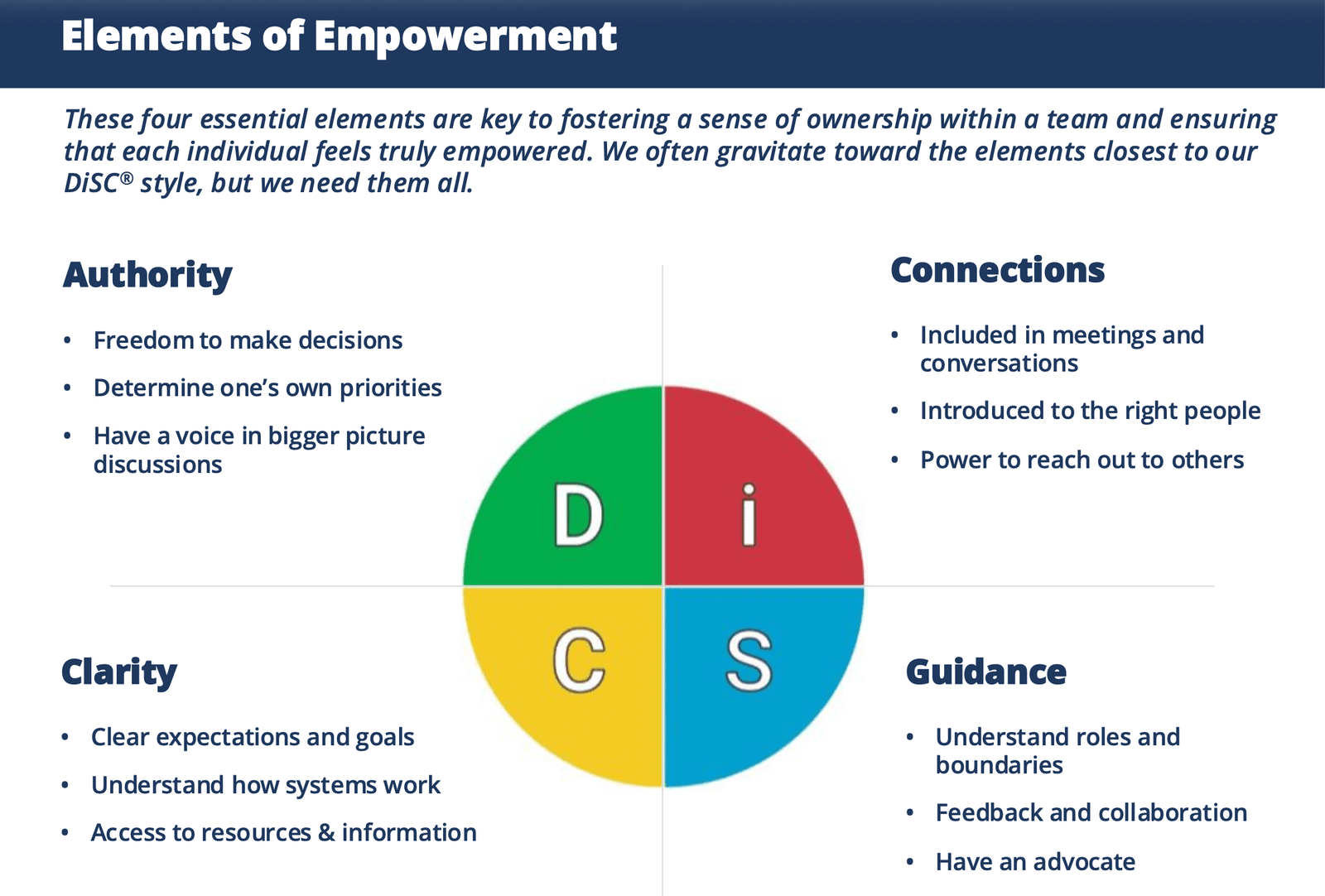
These core elements align with what DiSC describes as the Elements of Empowerment—clarity, authority, connections, and guidance. When all four are present, employees feel trusted and empowered rather than micro-managed or criticized.

DiSC elements of empowerment

✔ Adapt each element to different DiSC styles

This is where the module shines. Managers learn how to flex their tone, pace, examples, and structure depending on whether they are speaking with a D, i, S, or C colleague.

How to Tailor Feedback to Each DiSC Style

Integrating this knowledge into your review preparation can significantly improve the quality of your conversations.

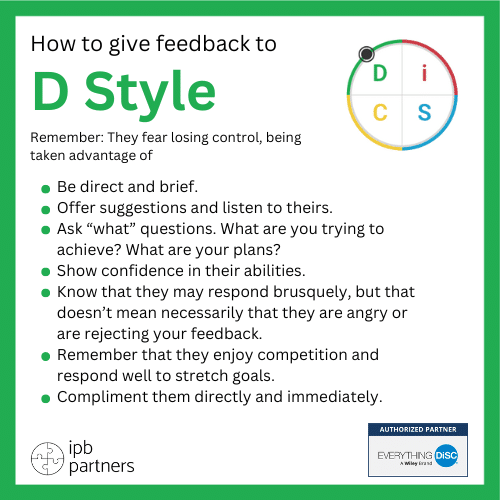
How to give feedback to DGiving Feedback to D-Style Employees

(Remember: They fear losing control or being taken advantage of.)

Key recommendations:

  • Be direct, brief, and specific.
  • Ask “what” questions to maintain their sense of agency.
  • Show confidence in their abilities.
  • Let them debate or challenge—they’re not being difficult; they’re processing.
  • Offer stretch goals, not micromanagement.

A performance review for a D-style becomes high-impact when the manager links the feedback to results, autonomy, and forward momentum.

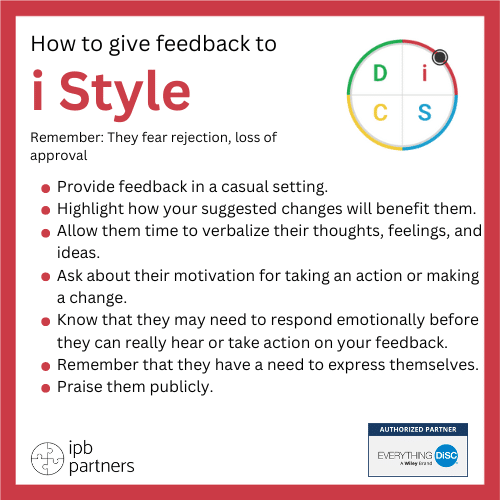
How to give feedback to iGiving Feedback to i-Style Employees

(Remember: They fear rejection and loss of approval.)

Keys to success:

  • Create a warm, informal setting.
  • Emphasize how changes will benefit relationships or team morale.
  • Give them room to talk through feelings and ideas.
  • Expect an emotional initial response, followed by enthusiasm once they understand the “why.”
  • Praise publicly when appropriate.

Feedback resonates when the manager connects performance to collaboration, energy, and recognition.

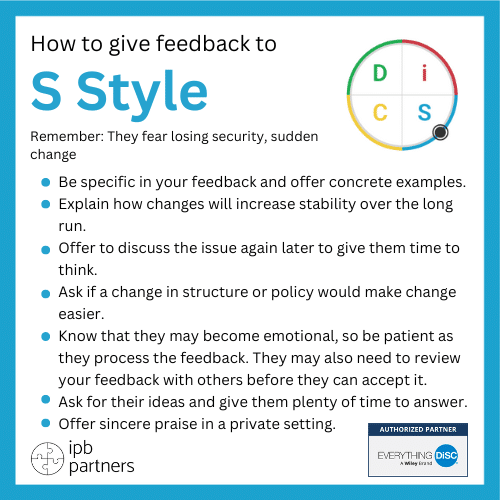
How to give feedback to SGiving Feedback to S-Style Employees

(Remember: They fear losing security or facing sudden change.)

What they need:
  • A calm, thoughtful conversation without time pressure.
  • Concrete examples, delivered gently.
  • Reassurance that change will be manageable and supported.
  • Time to process before they commit to action.
  • Sincere praise in private.

S-styles thrive when feedback strengthens trust and stability rather than introduces abrupt shifts.

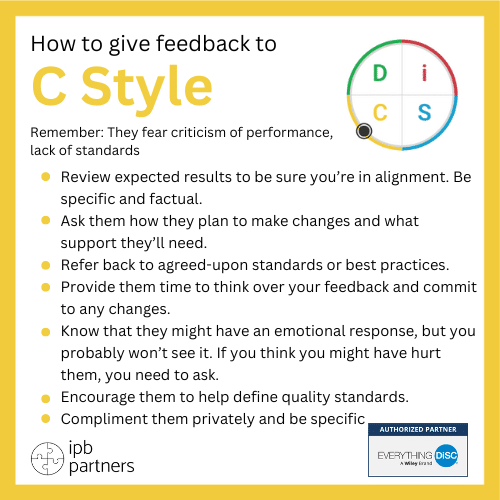
How to give feedback to CGiving Feedback to C-Style Employees

(Remember: They fear criticism of competence and unclear standards.)

How to approach:
  • Stick to facts, evidence, and defined standards.
  • Ask how they plan to adjust processes or structures.
  • Provide written summaries or frameworks for clarity.
  • Invite them to propose improvements—they love refining systems.
  • Praise precision and expertise.

C-styles appreciate feedback that enhances accuracy, consistency, and mastery.

The Role of Psychological Needs in Performance Conversations

The Psychological Needs model reveals an often overlooked reality: Feedback is never just about behavior. It’s about protecting what the person values most.

For example:

  • When a manager doesn’t give a D-style employee authority in setting goals, they may resist the feedback—not because the feedback is wrong, but because their autonomy is threatened.
  • If an i-style receives feedback that feels cold or impersonal, they may disengage, interpreting it as rejection.
  • An S-style confronted with sudden change may freeze or delay simply because stability is deeply important to them.
  • A C-style receiving vague feedback may shut down until standards and expectations are clarified.

This is why DiSC-informed feedback feels respectful and motivating—because it acknowledges the human needs behind the behavior.

From Feedback to Empowerment: The Manager’s New Toolkit

DiSC Elements of Empowerment reinforces that effective development isn’t just about correcting performance—it’s about enabling ownership:

  • Clarity reduces anxiety and misalignment.
  • Authority increases motivation and trust.
  • Connections ensure people feel supported.
  • Guidance helps them avoid mistakes and grow intentionally.

When managers use DiSC to strengthen these elements, performance reviews become ongoing coaching conversations that build confidence, not fear.

Feedback Is a Skill, Not an Obligation

Most managers aren’t avoiding feedback because they don’t care—they’re avoiding it because it feels risky, unpredictable, or emotionally charged. But with the right framework, feedback becomes a leadership superpower.

Everything DiSC Worksmart’s Giving Constructive Feedback module gives managers:

  • practical templates,
  • personalized insights,
  • style-specific strategies, and
  • clear action steps

to lead honest, motivating, and high-quality performance reviews.

When leaders master these skills, something powerful happens: Teams feel seen. Expectations become clear. Accountability strengthens. Engagement grows.

And performance improves because people finally hear feedback in a way that helps them act on it.

Everything DiSC Comparison Report Scales

ed comparison report intro

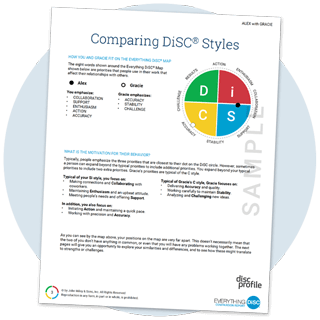
Understanding workplace relationships is key to effective collaboration, leadership, and team success. The Everything DiSC Comparison Report provides powerful insights by analyzing nine behavioral continua, helping individuals understand their own tendencies and how they compare to others. This tool fosters better communication, reduces misunderstandings, and enhances teamwork.

Here’s a breakdown of the nine comparison scales used in the report and how they add value to workplace relationships:

1. Soft-Spoken – Forceful

  • Soft-Spoken individuals tend to hold back their opinions unless directly asked, preferring to stay in the background during discussions.
  • Forceful individuals are comfortable leading conversations, asserting their opinions, and pushing for their perspectives to be heard.
    Value: Helps teams balance assertiveness and inclusivity in discussions.

2. Daring – Careful

  • Daring individuals enjoy pitching bold, innovative ideas and embrace change.
  • Careful individuals prefer well-tested approaches and may view major changes as risky.
    Value: Supports decision-making by balancing risk-taking and caution.

3. Patient – Driven

  • Patient individuals handle delays and setbacks calmly, avoiding unnecessary pressure.
  • Driven individuals prefer urgency and may get frustrated with slow progress.
    Value: Helps teams manage pacing and expectations, reducing friction.

4. Skeptical – Accepting

  • Skeptical individuals question ideas, testing them against possible risks.
  • Accepting individuals trust and validate others’ ideas easily, expecting positive outcomes.
    Value: Encourages teams to balance constructive criticism with open-mindedness.

5. Outgoing – Private

  • Outgoing individuals seek social interaction, networking, and frequent engagement.
  • Private individuals prefer working independently and avoid excessive socializing.
    Value: Improves understanding of social needs in teamwork and leadership.

6. Tactful – Frank

  • Tactful individuals communicate diplomatically, carefully choosing their words.
  • Frank individuals express thoughts openly and directly without sugarcoating.
    Value: Enhances communication by balancing honesty with sensitivity.

7. Accommodating – Strong-Willed

  • Accommodating individuals are open to input and willing to compromise for harmony.
  • Strong-Willed individuals hold firmly to their opinions and may resist outside influence.
    Value: Encourages healthy debates while maintaining flexibility.

8. Lively – Reserved

  • Lively individuals communicate in an upbeat, energetic manner.
  • Reserved individuals are more measured, expressing emotions subtly.
    Value: Helps teams adapt to different energy levels and communication styles.

9. Calm – Energetic

  • Calm individuals prefer a steady pace, disliking last-minute changes.
  • Energetic individuals thrive on fast-paced work with lots of activity.
    Value: Supports teams in managing workload expectations and work styles.

How Everything DiSC Comparison Reports Add Value

By comparing two individuals across these continua, the Everything DiSC Comparison Report helps:

  • Improve communication by identifying potential friction points.
  • Foster empathy by revealing how different styles approach work.
  • Strengthen relationships by providing tailored advice for collaboration.


Whether you’re leading a team, improving workplace communication, or navigating organizational change, Everything DiSC Comparison Reports offer valuable insights to build stronger, more effective professional relationships.


Want to explore how DiSC can improve your team’s performance? Let’s connect!


How Managers Use DiSC to Handle Hard Conversations

Have you ever faced a tricky conversation at work that’s left you feeling uneasy? Maybe you needed to address a team member’s declining performance, or you had to mediate a disagreement between colleagues. Handling these situations can be difficult and emotionally charged. But DiSC profiles can make a meaningful difference. They provide a structured way to understand personality differences so managers can feel more prepared and confident in these moments.

DiSC profiles group people into four personality types, each with distinct patterns of behavior and communication. When managers understand these differences, it’s easier to approach conversations in ways that resonate with the other person. That can help reduce misunderstandings and encourage positive outcomes. Here’s how it works.


Understanding DiSC Profiles

DiSC is an assessment tool that highlights behavioral traits based on four main personality types:

27 ed blog inline disccircumplex 1 copy

  • Dominance
  • Influence
  • Steadiness
  • Conscientiousness


Each type brings unique strengths, preferences, and challenges to workplace interactions.

Dominance types are typically direct, driven, and focused on results. They take charge and value efficiency. Managers addressing someone with a Dominance trait might aim for short, purposeful conversations that emphasize goals.

Influence types are outgoing, enthusiastic, and relationship-oriented. They thrive on energy and social recognition. When talking to an Influence type, managers might lean into warmth, openness, and positivity.

Steadiness types are supportive, patient, and calm. They value cooperation and consistency. These individuals may be more sensitive to conflict, so it helps when managers approach them with gentleness and respect for their need to process.

Conscientiousness types are analytical, detail-focused, and reliable. They often prioritize accuracy and logic. When engaging them during tense conversations, managers can center the discussion on facts and organized reasoning to gain trust.

These profiles are not boxes to place people in. They are tools that give a window into how someone tends to think and respond, allowing managers to lead with more empathy and precision.


Benefits of DiSC Profiles for Managers

Managers often face the challenge of guiding a team made up of very different individuals. That mix can lead to great collaboration—or miscommunication. DiSC gives leaders insights that reduce the guesswork and improve how they connect with their team.

Here are a few ways DiSC can help:

  1. Improved Communication

Managers can tailor their tone and wording to better match the other person’s preferences. A Conscientious employee will respond differently to feedback than an Influence type. Recognizing these differences opens the door to smoother conversations.

  1. Conflict Resolution

By knowing what matters most to each team member, managers can quickly get to the heart of unresolved issues. Understanding personal triggers and comfort zones makes it easier to de-escalate tension.

  1. Stronger Team Dynamics

DiSC supports a culture where differences are approached with curiosity rather than frustration. Managers who learn to appreciate various work styles build a more inclusive and balanced team environment.

All of this starts by becoming aware of what traits exist on your team and how to approach those differences in a thoughtful, human-centered way.


Strategies For Handling Difficult Conversations

Let’s face it, hard conversations at work never get easier. But being armed with self-awareness and a clear sense of what motivates the other person makes the process more manageable.

Here are a few practical ways managers can use DiSC to prepare for difficult conversations:

  • Review the employee’s DiSC profile and consider their go-to communication style.
  • Think about how they might react under pressure. Are they likely to become defensive? Withdraw? Push back?
  • Choose the right setting and tone. Steadiness types may need a quiet, unrushed space. Dominance profiles may appreciate directness right away.
  • Start with something familiar or positive. This can ease tension, especially with Influence types who respond well to encouragement.
  • Focus on clarity. Conscientiousness types may need extra detail and structure to feel informed rather than criticized.
  • Follow up after the conversation. Ask how they’re feeling or offer support. This helps make the moment feel more like a dialogue than a one-time correction.

Conversations don’t need to feel confrontational. When managers enter these talks with clarity and a willingness to flex their own style, the message lands more effectively.


Real-World Applications Of DiSC In Management

Let’s say a manager is working with two employees with very different styles. Ava is a Conscientiousness type who values order, deadlines, and facts. Leo leans strongly toward Influence—he’s high-energy, spontaneous, and focused on big-picture ideas.

The two are clashing on a shared project. Ava is frustrated by Leo’s fluid timelines. Leo feels stifled by Ava’s attention to rules.

Instead of treating this like any other personnel issue, the manager uses their DiSC profiles as a guide. She arranges one-on-one conversations and addresses each person in a way that matches their profile. With Ava, she reassures her by mapping the details and reinforcing trust in her structure. With Leo, she keeps the exchange upbeat, recognizing his creative strength while showing the value of meeting key checkpoints.

Over time, this clarity helps both team members adjust naturally. Ava relaxes some of her rigidity by understanding Leo’s working style, and Leo steps up his planning because he now sees the impact it has on the team.

If the manager had approached both in the same way, it’s likely the situation would have escalated or stayed unresolved. Using DiSC gave her a better route forward.


Shaping Culture One Conversation At A Time

Every manager has to deal with tough conversations at some point. But having a basic understanding of behavior patterns can reduce the pressure and help everyone walk away feeling heard.

That’s what DiSC profiles make possible. They remove the guesswork and bring intention to the way conversations unfold. When a manager adapts their tone, words, and timing to fit the person in front of them, it can defuse conflict and build connection.

DiSC isn’t something managers pull out once in a while. It becomes part of how they lead every day; listening, guiding, and communicating in ways that respect how people are wired. That steady awareness shapes the culture of the team, one honest conversation at a time.

If you’re looking to build stronger conversations that actually lead to change, understanding how to use DiSC profiles is a solid first step. Learn how different personalities respond, shape your message to connect better, and guide your team through challenges with more confidence. For support that fits your leadership style, trust discprofiles.eu to help you bring out the best in every conversation.

Tips for Successful Virtual DiSC Facilitation

You probably know that converting classroom activities to virtual activities isn’t as simple as just finding an online meeting room to use. Instead, it requires some reimagining and redesigning, while remaining focused on what you want your learners to take away from the experience. As the need for online delivery increases, here are a few tips on how to convert in-person sessions to virtual sessions, along with some best practices for virtual facilitation.

1. Adapt the in-person content for virtual facilitation ED ConversationStarters Social DecisionsSquare

  • Review and rework your in-person content to make it effective on a virtual platform. Begin by reviewing the learning objectives. What’s essential for learners to walk away with? What points must be covered in live, virtually delivered sessions? What can be done as independent work between sessions or as follow-up work if you’re doing only one session?
  • Look at your script and your slide deck. Decide how you’ll break up the content that you’ll be delivering live. Can you break up the content into smaller (30-, 45-, 60-minute) modules so you can deliver the program over several days? Webinars that last more than 90 minutes can be a struggle for participants, but if you need to go beyond that, build in breaks and provide a little reward for returning on time and a consequence for being late. If your redesign involves spreading the course over a few days, assign work for learners to do on their own between sessions.
  • Change modalities frequently to hold learners’ attention. Learners will stay more involved if they have to switch gears, rather than doing the same thing for 30 minutes. For example, if you have eight points to talk through, pose a question or show a quick video (if your platform allows it) after the first four points. Or if your platform provides tools like status checks and drawing capabilities, you can use these to make sure learners are following along.
  • Cover the most important points up front. Virtual learning can be unpredictable. You may encounter questions or technical issues you don’t expect. Organize your slides so that the least valuable information is near the end, in case you don’t get to it.
  • Email note-taking handouts with prompts to learners before the session(s). They can take notes as you facilitate—if they’re listening and writing, they’re paying attention.
  • Consider delivering supplemental information in handouts. Examples of supplemental information include links, big chunks of text, and detailed data that learners can download and digest between or after sessions.
  • Keep learners engaged by promising a “wow” piece of content at the end. Consider giveaways like checklists, posters, a practical tool, or an unforgettable quote. Tease the giveaway when you’re one-third of the way through your facilitation, and then mention it again at the two-thirds mark to keep people listening.

2. Simplify your slides

  • Streamline your classroom slides to be appealing on the virtual platform. Edit out extraneous text or graphics. Simplify. Increase the number of slides so that you make fewer points per slide. Learners need frequent visual stimulation to stay engaged.
  • Focus on graphics that bolster your points; avoid eye candy and distracting GIFs. You want the visual stimulation to be meaningful, not irritating or trivial. No kitten videos!
  • Use high-contrast colors, simple backgrounds, and clean fonts. The look of your slides matters more than ever. Remember that your slides will be viewed on a small screen; they must be readable at 50 percent. Keep the size of the font above 20 points for readability.

3. Know your platform’s tools for interactivity and engagement, and use them DiSC leadership development copy

  • Choose a platform that works for you. There are many platforms to choose from, each with different options. We’ve heard from people who’ve had success with Zoom, GoToMeeting/Training/Webinar, WebEx, AdobeConnect, and MS Teams. Some questions you should ask when considering a platform include the following:

– What is the maximum capacity?

– What types of participant interactivity tools does it provide (e.g., chat, video sharing, polls, breakout rooms, whiteboards, etc.)?

– How much does a license cost for the facilitator? Are there costs per participant? Are there different options based on audience size or frequency of use?

  • Use your platform’s tools to direct attention. Whatever platform you decide on, leverage its tools to visually underscore the points you’re making. For example, draw lines, use arrows, use the pointer, or circle key points to help learners follow along.
  • Keep it interactive and vary the way you’re engaging learners. Inject frequent interactivity into your facilitation, and mix up the ways you interact with learners. Depending on your platform, you’ll find there are many options to engage and involve learners. Take advantage of options like polls, surveys, and status check emojis (thumbs up/down), or use the chat feature to ask preplanned discussion questions. It’s also helpful to vary the interactions. For example, if you asked learners to give a checkmark on the first activity, ask for a thumbs up for the second activity. Check in immediately with any learners who don’t respond, and ask if they have questions or technical issues.

4. Use breakout rooms

  • Use breakout rooms to encourage learners to engage with one another. Breakout rooms can be a powerful tool for social learning when you’re facilitating virtually. If your platform has this capability, you can put learners into breakouts for small-group discussion so they can work together as they would in-person. Assign each breakout group a case study, scenario, or controversy to discuss. Give them clear, concrete instructions so that they understand what they’re expected to bring back to the large-group discussion.
  • Mix up the breakout groups. For example, if you put alike DiSC® styles together the first time you do a breakout, put dissimilar styles together for the next one. Plan breakout groups ahead of time, unless you’re using a randomizing feature available on some platforms.
  • Pop into the breakout rooms to provide guidance. As the facilitator, join each breakout room in progress to make sure learners are on task. You may want to ask a question, do some coaching, or prod the group to deepen its discussion.
  • Don’t have breakout room capabilities in your platform? Instead, organize shorter sessions with 10 or fewer people to allow learners to have rich, engaging discussions with one another

5. If possible, enlist a colleague or assistant ED Catalyst ConversationStarters DigitalImage Option5 100

  • Virtual facilitation often goes more smoothly with additional help. So, it can be handy to have an assistant who can help with technological problems, monitor engagement, and communicate with learners during the session so you can concentrate on conveying the content. The assistant’s main job is to respond to chats related to technical issues. If you’re using a platform with more sophisticated tools, the assistant can also help you with polls, whiteboards, and timers.
  • Don’t have an assistant to partner with? If you don’t have an assistant to partner with and aren’t familiar with the platform you’re using, consider (1) conducting smaller sessions, (2) conducting shorter sessions, or (3) having a low-tech backup plan if advanced features (e.g., breakout rooms, whiteboards, polls) are not working. Also, consider advising participants at the beginning that if they drop off and are unable to reconnect, you will follow up with highlights of the session. You can also plan periodic breaks, which will allow you to connect with participants who are having difficulties.

6. Prepare thoroughly

  • Always be prepared! Organize your materials carefully so you can find them immediately during the session—you don’t want to keep people waiting while you hunt for information. Also, consider creating a backup plan for participants who can’t join the session because of technology challenges or if the technology fails on your end as the facilitator. Familiarize yourself thoroughly with the technology, and think through how you’ll make sure learners are listening and learning. Decide how to handle questions and comments from learners during the session. Being organized and prepared will help you remain calm and project confidence throughout the session.
  • Prepare the participants. Ask your learners to be prepared as well. Provide them with instructions on how to test their system connection ahead of the session. Announce that you’ll open the session 15 minutes early so people can come in and get comfortable with the technology. Be there when it opens with casual icebreakers and reassuring chitchat.

7. Adjust your expectations

  • You won’t get the same kind of immediate feedback from learners—and it’s okay. Virtual facilitation is different—you won’t be able to see the heads nodding, the smiles, the confused faces that you’re used to getting in the classroom. While this lack of visual cues can make it feel like the learners aren’t excited or engaged, it’s not necessarily a sign that things are going wrong. Just make sure you stay engaged with the learners and keep your energy high.
  • Some learners won’t engage. As with classroom training, about five percent of learners will engage a lot and five percent won’t engage at all. Don’t sweat it. It’s normal. 8. Keep the learning personal
  • Remember to use names. A simple but powerful tip is to acknowledge each learner by name and respond to each of their questions and comments. Make their participation count.
  • Let learners see you. Appear on the camera when you give your introductory remarks (which you may want to script for maximum impact). Appear on camera before each break and at the end, to provide a personal and compelling wrap-up. Dress up and keep smiling, as you would in the classroom, even when the camera is not on you. Your expertise and professionalism will come across, even virtually. If you don’t have access to video, put a headshot of you on the slide when you introduce yourself so learners have a face to put with your voice.


It takes some reimagining, extra planning, and a different type of preparation, but following these tips will help your virtual sessions be just as impactful as your classroom experiences. You’re on your way!

How to Overcome Objections When Selling DiSC®

Selling DiSC-based programs—whether internally as an HR or Learning and Development professional or externally to clients—comes with predictable hurdles. But with a behavioral lens and strategic mindset, you can convert hesitations into “yeses.” Here’s how to sharpen your approach and win confidence for DiSC® offerings.

Screenshot 2025 05 15 at 12.27.00Understand the Core Objections

Sales objections usually fall into these categories:

  • No perceived need: “We’re doing fine as-is.”
  • Timing concerns: “Now’s not the right time.”
  • Budget constraints: “We don’t have funds right now.”
  • Authority/decision issues: “I must talk to someone else.”

When selling DiSC®, you may also face resistance like:

  • “We don’t need another assessment tool.”
  • “We’ve already done DiSC.”
  • “It feels too soft or touchy-feely.”
  • “I don’t see ROI in a behavioral tool.”

Use DiSC Insights to Overcome Objections

Contrast-driven objections are an opportunity to lean into DiSC strengths. Tailor your response based on the prospect’s behavioral style:

DiSC Style Likely Objection Best Response Strategy
D (Dominance) “We don’t have time or budget.” Be brief, results-oriented. Emphasize quick wins: “Let’s see if a 60-second overview is worth your time.”
i (Influence) “It sounds interesting, but I can’t sell it internally.” Lean into enthusiasm. Offer to co-present or help craft an internal pitch: “I can help you make the case—and make it memorable.”
S (Steadiness) “We’re stable—no change needed.” Offer evidence from similar organizations; share testimonials and case studies to show risk is managed.
C (Conscientiousness) “I need data—this lacks rigor.” Provide data, case studies, validation. Emphasize research basis and client impact with metrics.

General Objection Handling Framework

Let’s anchor this in a trusted, four-step structure used by top-performing sellers:

  1. Listen – Really hear their concern, without interrupting.
  2. Understand – Restate back what they’re saying to confirm you got it.
  3. Respond – Address the concern, tailored to their style.
  4. Confirm – Ask if your answer resolves their concern before moving forward.

Screenshot 2025 05 15 at 12.26.52Real-World Application: Selling DiSC Internally (HR/L&D)

Imagine a scenario: You’re proposing DiSC training to senior leadership and get pushback: “We don’t have budget or time.”

Your next move:

  1. Listen & Empathize
    “I hear you—budgets are tight, and development takes time.”

  2. Understand Their Priority
    “To make sure I’m hearing correctly, the main concern is ROI?”

  3. Respond with Value & Evidence

    • For D styles: “Our last in-house rollout cut onboarding friction by 40%—fast results with clear metrics.”

    • For C styles: Share the research behind DiSC’s validity and how feedback aligns with performance outcomes.

    • For S styles: “Peer organizations like yours use DiSC to build trust and consistent team performance—our internal pulse surveys improved.”

    • For i styles: Showcase participant testimonials or video moments where people bonded—highlighting culture wins.

  4. Confirm
    “If we can show measurable improvement in team alignment or leadership effectiveness, would your team consider piloting DiSC?”

DiSC free upgradeExternal Consultants: How to Sell DiSC to New Clients
Step 1: Discovery First

Before pitching DiSC, start with a discovery interview. Drill into pain points:

  • “What’s one thing that slows team performance?”
  • “How do your leaders approach conflict or collaboration?”
  • “What outcomes are most urgent now—efficiency, morale, creativity?”

Step 2: Customize Your Response

Use DiSC style alignment:

  • D: “This helps teams pivot faster and make bolder decisions.”
  • i: “This brings energy to departments—they bond, connect, and engage.”
  • S: “This builds trust and cohesion, reducing friction over time.”
  • C: “This provides structured insights and predictive behavior patterns, backed by data.”

Step 3: Seal with Next Steps

If they say “not now,” ask:

  • “Under what conditions would exploring DiSC make sense?”
  • “If I could co-design and deliver a leadership session showing impact, would you be open to piloting?”

Screenshot 2025 05 15 at 12.27.02Final Tips for DiSC Practitioners

  • Host mini—informal demos or “intro sessions” for clients to experience DiSC firsthand.
  • Lean on peer storiesclient case studies are worth a hundred data points.
  • Ask for small commitments—pilot one team, review outcomes, then scale.

In Summary

Whether you’re selling DiSC internally or externally, your success hinges on:

  • Listening intently
  • Understanding the objection’s “why”
  • Responding with behavioral-tailored value
  • Confirming alignment before closing

With clarity, empathy, and data, you can turn objections into opportunities—and make DiSC the tool people want and value.

Checklist for DiSC Facilitators

Prepare with confidence—whether it’s your first session or your tenth.

ED CPE OngoingTraining4–5 weeks before the DiSC workshop (or as early as possible)

1) Align on objectives

  • Confirm the purpose with your client/manager: outcomes, problems to solve, and what “success” looks like.
  • Decide audience (roles/levels), format (in-person/virtual/blended), and length.

Output: 2–3 measurable learning objectives you can share in the invite.

2) Choose the right DiSC solution

Pro tip: If team dynamics or manager relationships are central, consider Workplace + Comparison Reports or Catalyst.

3) Learn about your participants

  • How supportive is the sponsor/leader?
  • Familiarity with DiSC or other assessments?
  • Team context: tenure, org changes, recent issues/conflicts/restructures, upcoming announcements.

4) Understand the space (or platform)

  • Room layout, natural light, acoustics, Wi-Fi.
  • Equipment: projector/speakers/flipcharts/markers; for virtual—platform features (breakouts, polls, chat).
  • Access times, catering, emergency/tech contact.

ED CPE FacilitationMaterials2-3 weeks before

5) Place orders and build your materials

  • Order the credits for the individual profiles and any Group/Facilitator Reports.
  • Draft agenda with timings and activities that match your objectives.

6) Prep your participants (reduce anxiety, raise curiosity)

Send assessment links from EPIC with a personal note:

Email text (copy/paste):
Subject: Your Everything DiSC® assessment
Text: Hi [Name],
Ahead of our session on [date/time], please complete your Everything DiSC assessment.

  • This isn’t a test—there are no right or wrong answers. All DiSC styles are equally valuable.

  • Answer based on how you see yourself at work.

  • It takes 15–20 minutes in one sitting.

Thanks! We’ll use your results to help you improve communication and collaboration in practical ways.
—[Your name]

  • Schedule automatic reminders in EPIC for anyone not completed 7 days prior.
  • If helpful, assign short pre-work (e.g., “Listen to a podcast of your DiSC style”, “Go through your results before the session,”).

ED CPE GroupInsights1 week before

7) Finalize materials

  • Verify completion status; nudge remaining participants.
  • Run/download Individual/Group/Team View/Comparison reports.
  • Skim profiles for hotspots (contrasting priorities, untypical elements, outliers).
  • Print participant profiles (if in-person) and any participant maps or materials.
  • Rehearse key sections; trim content to fit the time you truly have.

Pro tip: Prepare an alternative 10-minute activity you can drop in if energy dips.


3 days before

8) Reduce last-minute risk

  • Test room/tech (or virtual platform), videos, audio, clicker, adapters.
  • Print attendance list, agenda, and evaluation form.
  • Confirm room access time, catering, seating plan.
  • Align once more with sponsor on outcomes and any sensitive topics.

ED CPE CommunityDay of the session

9) Set the tone

  • Arrive early; set up name tents, Group Map, and materials.
  • Greet participants; establish ground rules (phones, participation, confidentiality).
  • Reconfirm objectives and relevance.

10) Facilitate with intention

  • Use the Cornerstone Principles early (no best style; everyone’s a blend; DiSC is not a label).
  • Vary pace: brief input → activity → debrief → application.
  • Make it real: connect insights to their organization, situations, and examples.
  • Watch energy and inclusion; draw in quieter voices.
  • Capture commitments: “What will you do differently next week?”

11) Close strong

  • Summarize key takeaways linked back to objectives.
  • Show Comparison Reports and MyEverythingDiSC.com (or Catalyst, if applicable) for post-session learning.
  • Explain the follow-up plan and where to get further knowledge on DiSC.

25e2b11a e2b8 425d 8251 7f3a7151f0431 week after

12) Sustain the learning

  • Send thank-you + next steps email with:

– A 30-day practice challenge (e.g., “Adapt to one colleague’s style each week”)

– Short guide to reinforce DiSC on the job

  • Review evaluations and your notes; capture what to repeat, refine, retire.
  • Offer follow-ups: DiSC-based follow-up session, or a session focusing on management/sales/conflict/emotional intelligence topics.

Quick decision guide (use in prep)

  • Goal = better day-to-day collaboration: Workplace or Catalyst + Group Report + Comparison Reports

  • Goal = manager–direct report collaboration: Management + Comparison Reports

  • Goal = sales conversations: Sales + customer-mapping exercise

  • Goal = conflict skills: Productive Conflict + practice scenarios

  • Goal = emotional agility/adaptation: Agile EQ + practice scenarios

  • Goal = senior leadership messaging: Work of Leaders + vision/alignment/execution debrief


Common pitfalls (and how to avoid them)

  • Pitfall: Treating DiSC as a label.
    Fix: Reiterate Cornerstone Principles; emphasize behavioral range and choice.

  • Pitfall: Too much theory, not enough application.
    Fix: For every concept, ask: “What does this change next Monday?” or “How can you apply it in your work/organization?”

  • Pitfall: Profiles opened cold without context.
    Fix: Frame the model first; use an icebreaker to build psychological safety.

  • Pitfall: No sponsor reinforcement.
    Fix: Give the leader a 10-minute reinforcement script and 3 talking points.

  • Pitfall: Learning fades after the session.
    Fix: Involve a sponsor from the client’s side (usually an HR or L&D person, or team lead) who can actively support the learners also after the session. Push Additional DiSC Reports, schedule a 30-day check-in with the client.


Ethics & logistics reminders

  • Treat profiles as confidential; never share without consent.
  • Be clear about data privacy (where results are stored (in the Amazon Web Services servers); who can access them).
  • For multilingual groups, ensure language parity in materials and facilitation.
  • For virtual delivery, plan breaks every 60–75 minutes and use breakouts for practice.

Have an idea to improve this checklist?

Let us know what you’d add or change—our certified community makes this resource better.


Thank you for some of the ideas https://www.discprofiles.com/blog/2015/01/everything-disc-facilitation-checklist/


The Do’s & Don’ts of Using DiSC®

9

Unlock the full potential of DiSC® — and avoid common pitfalls — with these clear, actionable guidelines.

DiSC® isn’t just a diagnostic tool; it’s a catalyst for genuine insight, improved relationships, and meaningful behavior change. That said, clarity and context are essential. When misused, such as pigeonholing people or using it as an excuse, it can backfire, reinforcing stereotypes rather than fostering growth.

Let’s walk through the best and worst ways to apply DiSC® insights.

DiSC Don’ts — What to Avoid

  1. Using DiSC® as an excuse for behavior

    • Avoid letting style become a scapegoat. Statements like “I’m an i-style—I’m just enthusiastic” or “He’s a D-style, don’t expect listening skills” limit growth and accountability.

  2. Pigeonholing people by style

    • Don’t say things like “i-styles can’t be serious” or “C-styles are too detailed.” Every person is more complex than a label; DiSC® reveals preferences—not destiny.

  3. Assuming DiSC® is a static identity

    • DiSC® profiles aren’t fixed. Your style provides insight, but people can and do stretch beyond their natural tendencies.

Pro Tip: Remember that only 20% of people are pure styles – those with only one leading style. 80% have at least two leading styles. People are not so black and white!

DiSC Do’s — What to Do Instead

  1. Use DiSC® as a behavioral framework

    • DiSC® helps organize how we see ourselves and others. It’s a snapshot of patterns—not a box. Use it to anticipate reactions—and adapt accordingly.

  2. Spark authentic conversations

    • DiSC® is a starting point for meaningful dialogue—not the end point. Use it to ask “What’s your style?” and “How can we work better together?”

  3. Create a shared language

    • Introduce DiSC® terminology to make interpersonal dynamics more transparent. This shared vocabulary encourages empathy, alignment, and practical collaboration.

Beyond Labels: Making DiSC® Stick

  • Embed DiSC® into culture
    Encourage ongoing dialogue and reference styles in meetings, reviews, and everyday conversations to reinforce understanding.

  • Encourage stretching behaviors
    Let workplace challenges become opportunities to practice new styles. A high-D person might focus more on listening; a high-S person might assert an opinion confidently.

  • Build emotional intelligence
    Use DiSC® as a bridge to understanding—not a justification for behavior. The real value comes when individuals adapt to communicate more effectively.

Why This Matters for Your Organization

When used well, DiSC® becomes a shared tool for self-awareness, respect, mutual adaptation, and performance. It propels teams beyond “knowing our own style” to living DiSC®-informed behaviors—that’s where real, lasting growth happens.

3 EPIC Platform Features You Might Not Be Using (But Should)

Whether you’re a longtime user of the EPIC platform or just getting started, there are some useful features that often go unnoticed. These tools can make life easier for you—and better for your participants. Below are three functions worth exploring:


1. Create Sample Reports

Use sample reports to showcase DiSC® reports customized with your branding and messaging. These are great tools for:

  • Marketing and sales presentations

  • Sharing with prospective clients so they see what output to expect

  • Highlighting your customization options (logos, layout, messaging)

Instructions:

Go to Create Sample Reports and choose the report you need. Once generated, download or email the report.

Screen Shot 2019 12 25 at 18.13.17

From the next page, select the profile that you need and follow the instructions until you are able to download or view your freshly created sample report.


2. Resend Login Information

Ever had participants who didn’t receive their access codes or forgot to log in? The Resend Login Information feature lets you quickly send the access email again, reducing follow-ups and delays. Handy when people are late completing assessments or have misplaced their original link.

Instructions:

Screen Shot 2019 12 25 at 18.13.10 1024x363 1

Go to Resend Login Info in the EPIC homepage, click Search, and then choose which pending respondent you wish to resend the access code email. Confirm the action, and the email has been resent.


3. Control When Respondents See Their Report

With the View Report function, you decide whether participants get to view results immediately or later. This matters for:

  • Structuring your session flow (e.g, showing results only during the training)

  • Keeping surprises for group debriefs

  • Allowing time for you (the facilitator) to review reports in advance

Instructions:

On the last page of Create a New Report, under the Add Respondents box, you will see the View Report option. Choose Yes if you would like respondents to get the profile, or No, if not:

Screen Shot 2019 12 25 at 18.30.26 1024x335 1

Generally, we recommend not giving respondents their results before they can get feedback from a certified DiSC user or trainer. However, in certain situations (recruitment, or to someone with previous DiSC experience), it might be needed to give results straight away.


Using these EPIC functions can streamline administration, polish the participant experience, and give you more control over your DiSC® training delivery.


IPB Partners - Authorized DiSC® Partner

Woldemar Mayer building
Paldiski mnt 29, corpus B, 6th floor
Tallinn, Estonia 10612

Contact Us

Name
Field is required!
Field is required!
E-mail address
Field is required!
Field is required!
Your message
Field is required!
Field is required!

Get a fun DiSC infographic and learn more about DiSC

E-mail
E-mail address:
Field is required!
Field is required!